Mates
A mate is when a Connector or Terminal is plugged into each other. Mates are used to split harness into smaller sub-harness or to plug a harness into a Device represented by a Group. A bulkhead connector is a common example of a mate. Matted connectors are sometimes called pass-through connectors.
Add a Mate
In the Schematic View mate a Connector or Terminal by dragging from the handle on the left or right side of the component label to the corresponding handle of another Connector or Terminal.
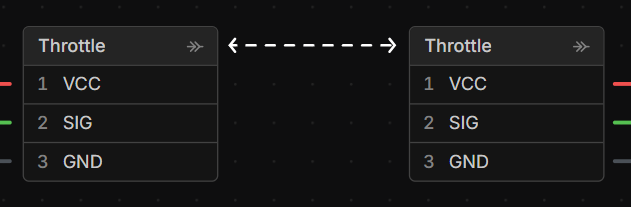
Mates on the Layout View
Mates can be viewed and deleted on the Layout View but cannot be added. Go to the Schematic View to add mates.

Mating Connectors
When connectors are mated together the cavities are mapped one to one and are considered on the same electrical net. If the mate doesn’t follow the following rules an error will be displayed:
| Error | Rule |
|---|---|
| Cavities do not match | Mated connectors must have the same number of cavities |
| Genders do not match | Mated connectors with parts applied that have a gender must be opposing |
Mating Terminals
You can mate terminals together (and terminals to connector cavities), however if it doesn’t follow the following rules an error will be displayed:
| Type | Compatible Part |
|---|---|
| Ferrule | - Connector Cavity (Represents Terminal Block) (Max One) |
| Ring | - Ring (Checks Size) - Spade (Checks Size) - Stud |
| Spade | - Spade (Checks Size) - Ring (Checks Size) - Stud |
| Male Quick Connect | - Female Quick Connect (Checks Size) (Max One) |
| Female Quick Connect | - Male Quick Connect (Checks Size) (Max One) |
| Stud | - Ring - Spade |
Checks Size means the mate will be invalid if a part is applied and the Size under the part properties do not match.