Validation
harness.design has several built-in tools to make sure your harness is built correctly.
Wire Gauge
If the Wire gauge does not match the properties of the Contact, a warning is shown in the Schematic view.
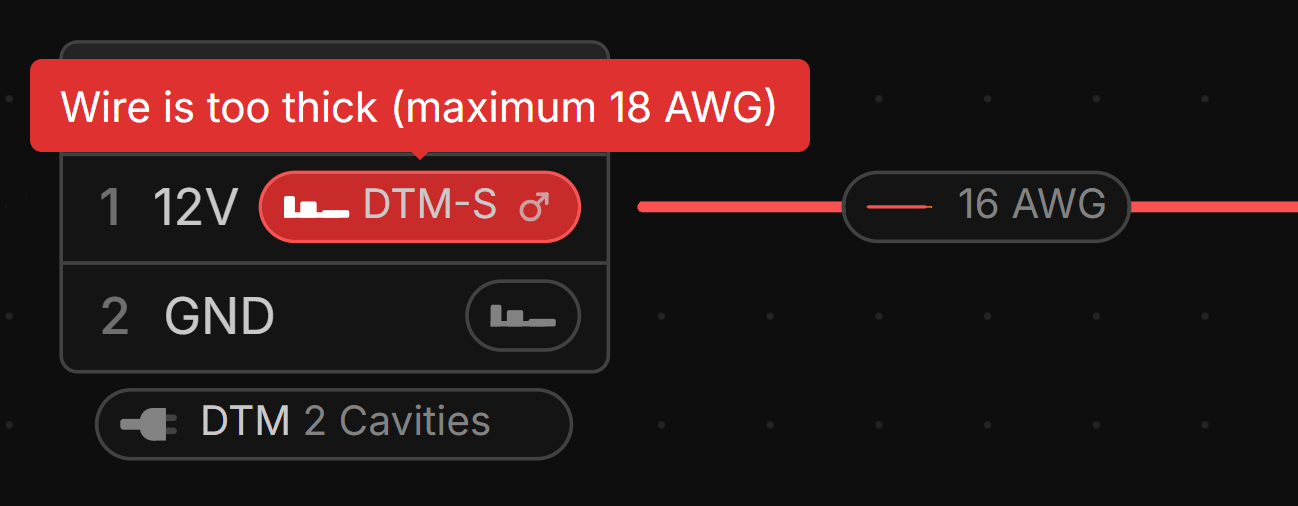
If multiple wires go into one contact, the sizes will be summed to calculate the total gauge.
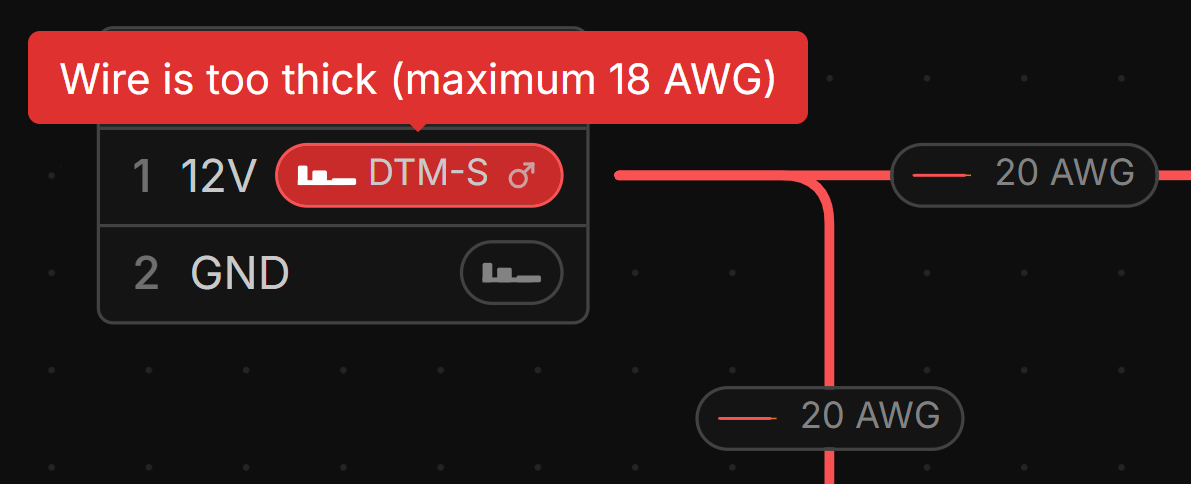
Multiple wire gauges are calculated by converting AWG to mm², adding them together, then converting back to AWG.
Connector Cavities
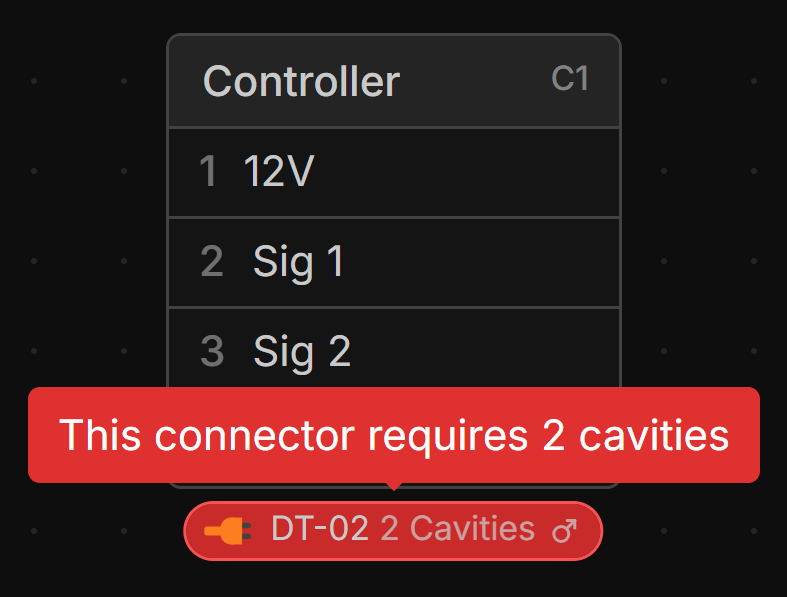
If the Connector and Connector Part do not match the number of cavities, a warning is shown in the Schematic view.
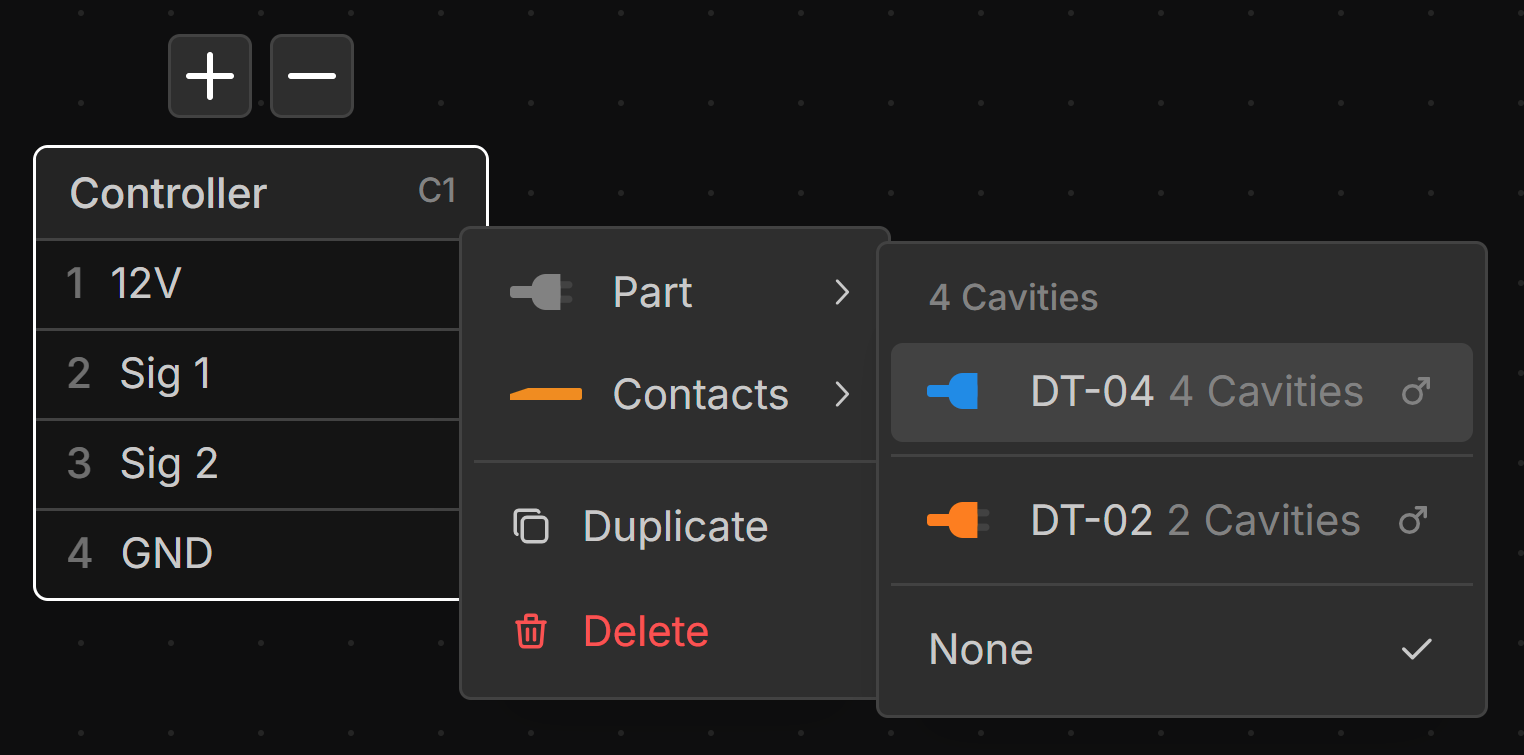
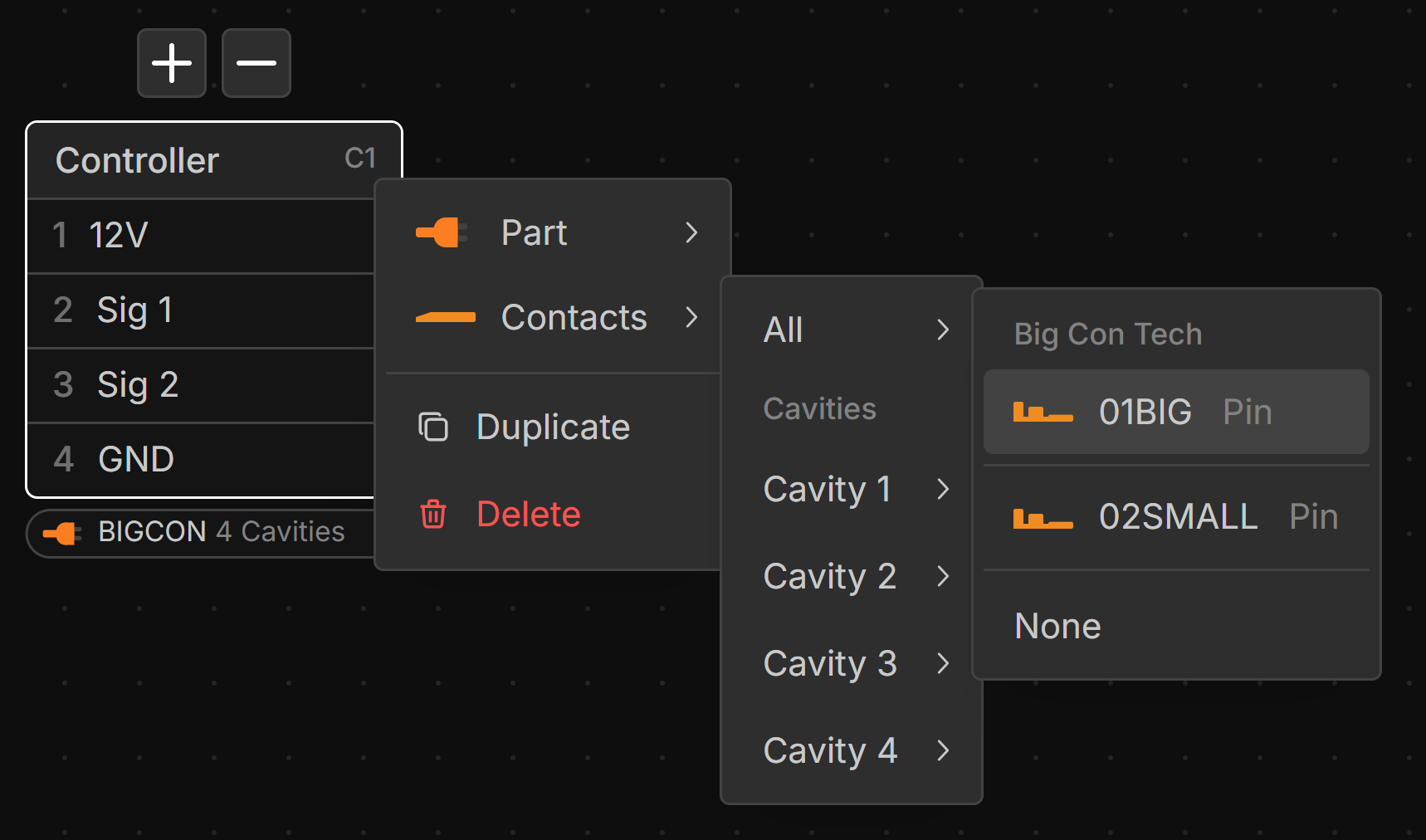
Parts with the same cavity count are suggested at the top of the parts list when assigning a part to a connector.
Contact Compatibility
Contacts from the same manufacturer are suggested at the top of the parts list when assigning a contact to a connector.
Unassigned Wires
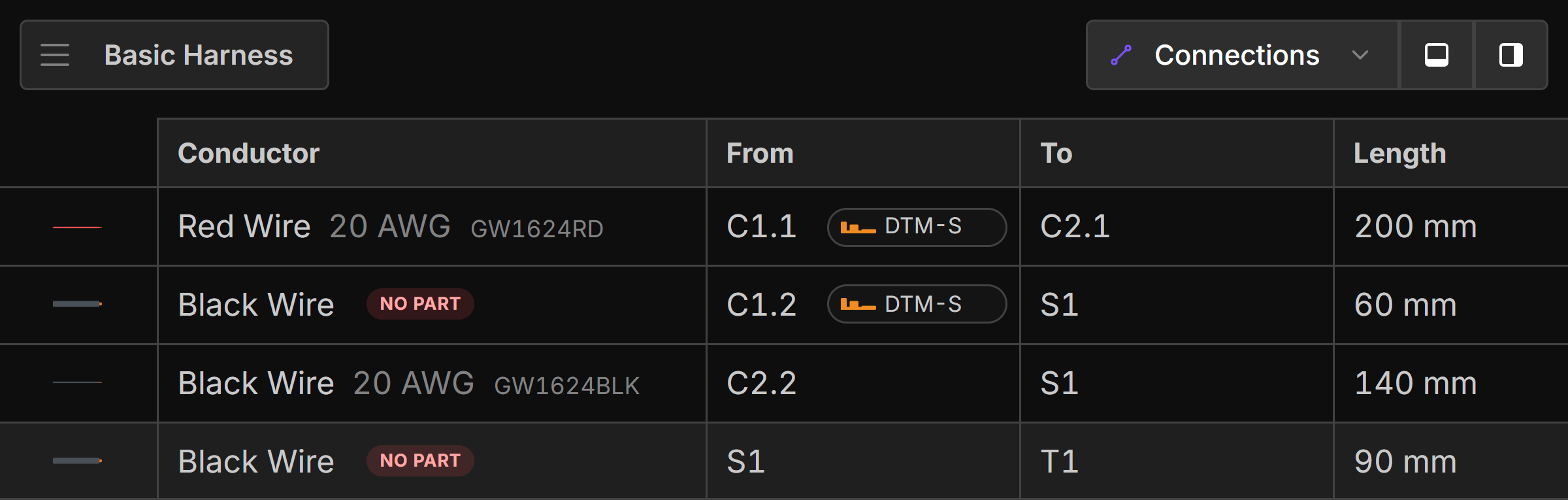
Wires with no part assigned to them are highlighted in the Connection view as No Part.
Unassigned Lengths
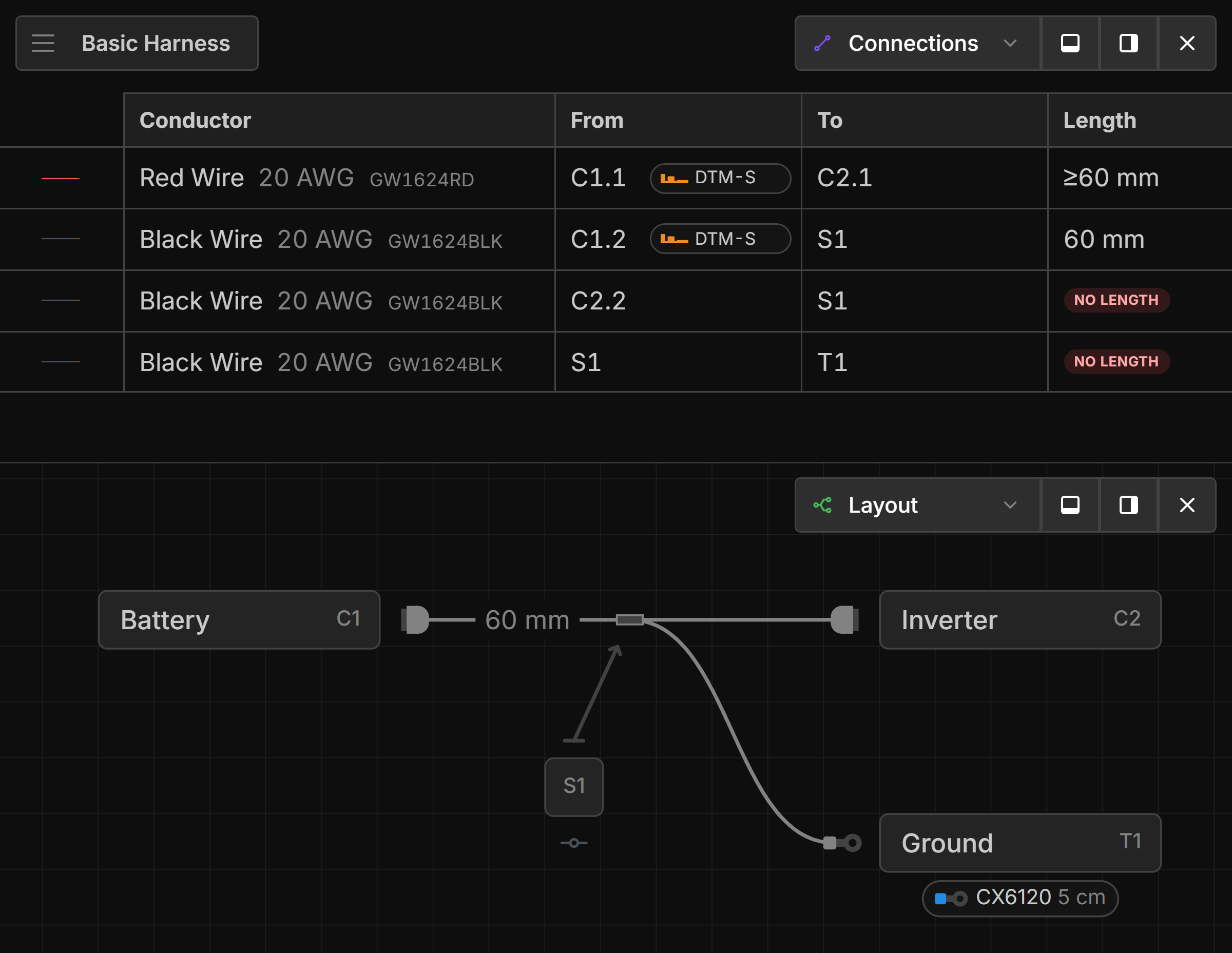
Wires routed through Bundles that have no length assigned to them are highlighted in the Connection view as No Length. Wires that are routed through bundles where one length is missing are prefixed with ≥ to indicate that the length is at least the length of the wire.
Unassigned Parts
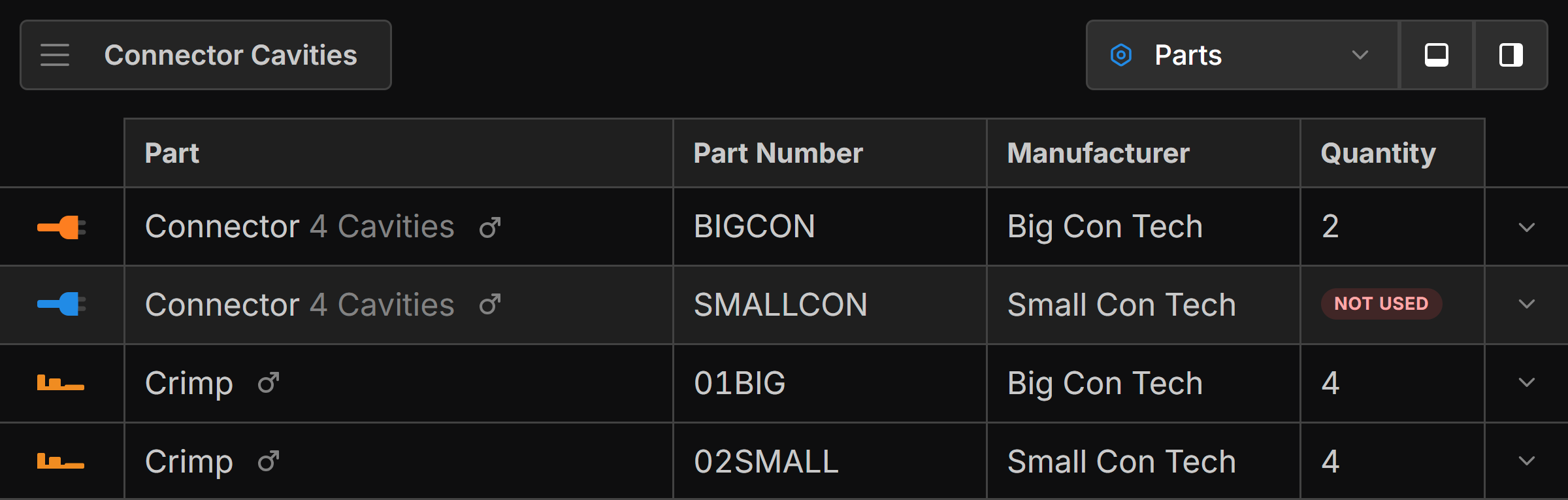
Parts that have not been assigned to components are highlighted in the Parts view as Not Used.
Connector and Terminal Mates
Terminal and Connectors are validated to ensure that they are compatible mates. See: