Contact Part
A conductive element installed in a connector housing that forms the electrical interface between mating connectors. This is often crimped or soldered to a wire and has a specific shape to fit into a corresponding connector housing.
| Property | Description |
|---|---|
| Part Number | Unique identifier for the contact part |
| Manufacturer | Company that produces the part |
| Description | Description of the contact part |
| Type | Connection method between the wire and contact — crimp, solder, or other |
| Gender | Gender of the contact — pin or socket |
| Min Gauge | Minimum wire size the contact supports |
| Max Gauge | Maximum wire size the contact supports |
You can enter mm or AWG for gauge values. Set the default unit under Main Menu → Preferences.
Assigning a Contact to All Cavities
Right-click on the label at the top of the connector and use the Contacts submenu to assign the contact part.
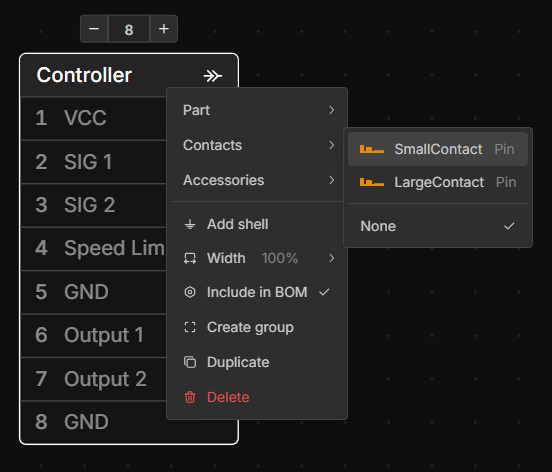
You can assign the same contact to multiple connectors by selecting them together (click and drag on the canvas, or use Shift+Click).
Assigning a Contact to Specific Cavities
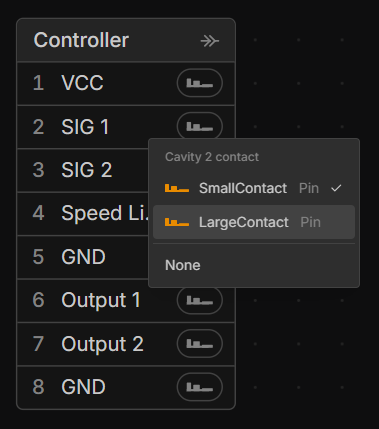
Right-click the cavity you want to assign, then select the desired contact part.
Last updated on