May 26, 2026
This release introduces the parts library, along with tabular editing for faster wiring, global search, connector configurations, cavity designations, and an upgraded Excel export.
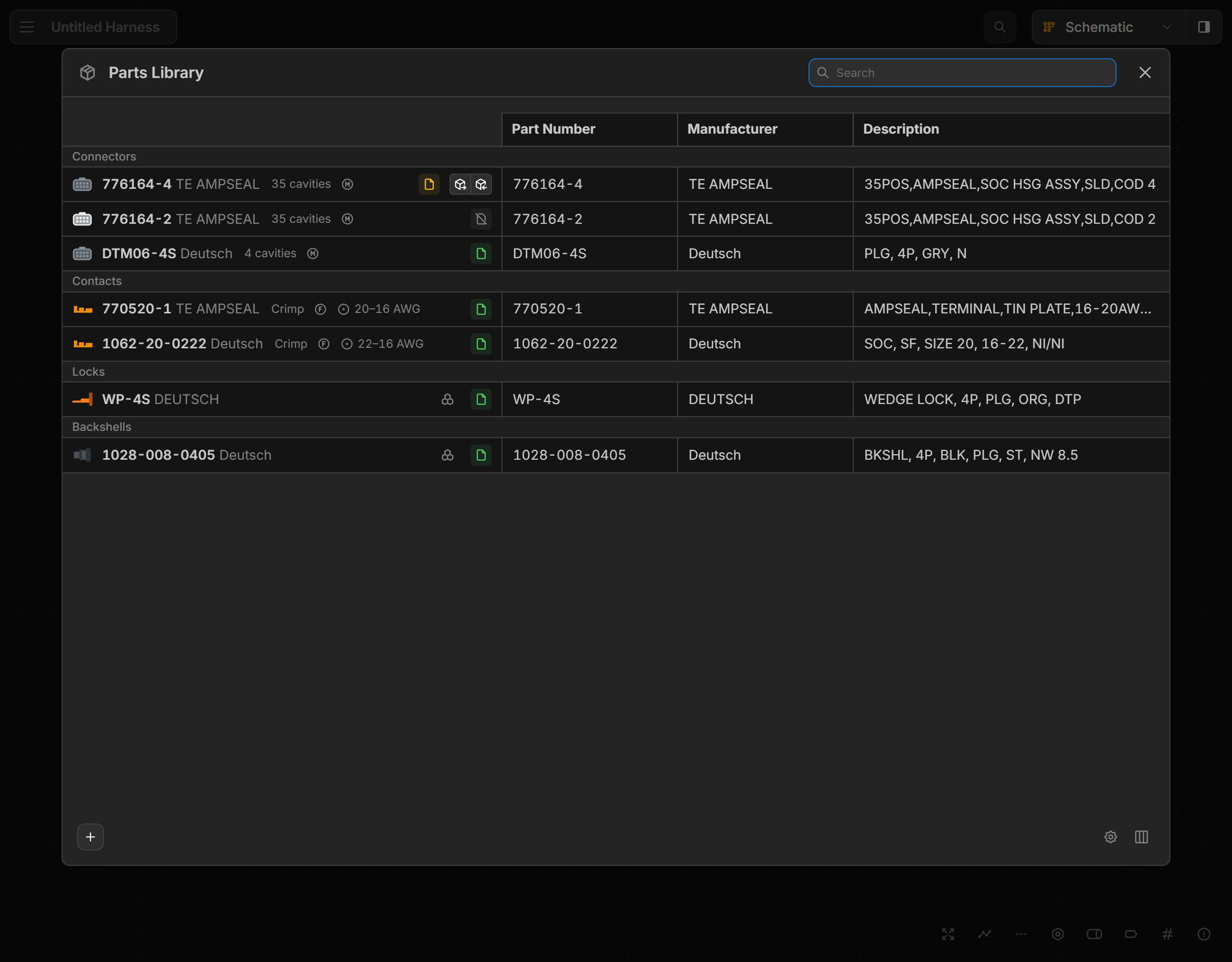
Parts Library
Our most requested feature is here. Build and maintain a shared parts catalog that works across all your harnesses. Reuse parts without re-entering data, and keep everything in sync as your library evolves.
Tabular Editing
A faster way to wire large harnesses. Search for any connector or cavity by name and create a connection instantly, without dragging across the schematic.
Search
Find any component, connection, or part across all views. On the canvas, jump directly to a match. In tables, results filter in real time.
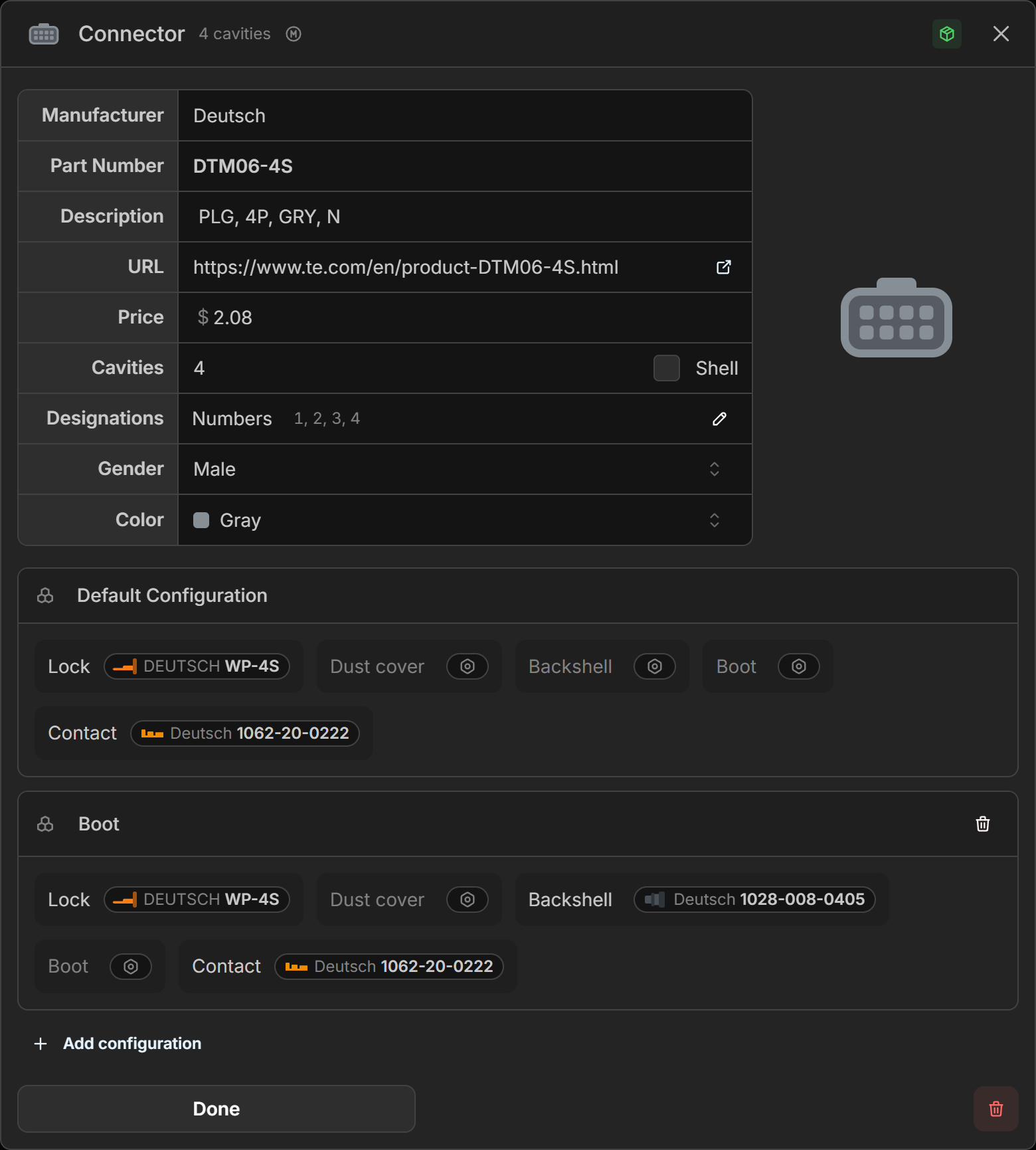
Connector Configurations
Define a set of default parts to bundle with a connector. Add multiple configurations to represent different assembly variants, such as sealed and unsealed, and they apply automatically when the connector part is assigned.
Cavity Designations
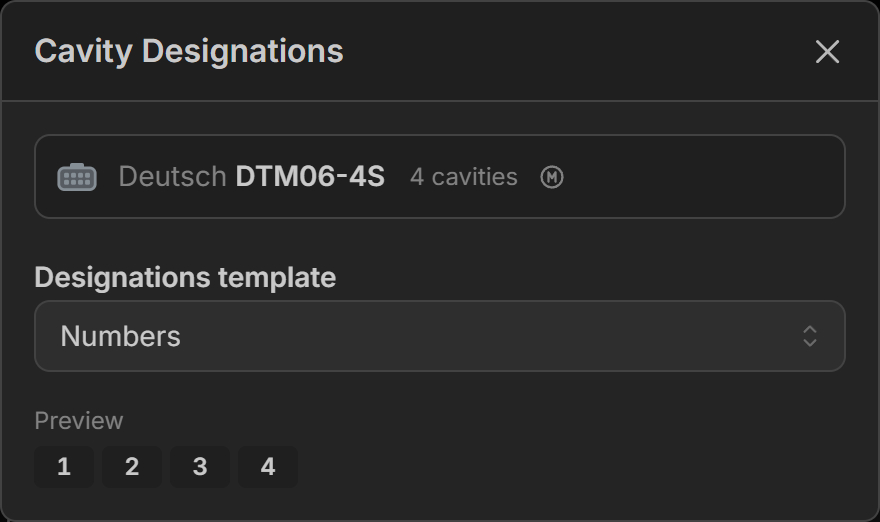
Define how each cavity in a connector is labeled. Choose from sequential numbers, letters, a row-column grid, or enter labels individually for each cavity.
Excel Wiring Table
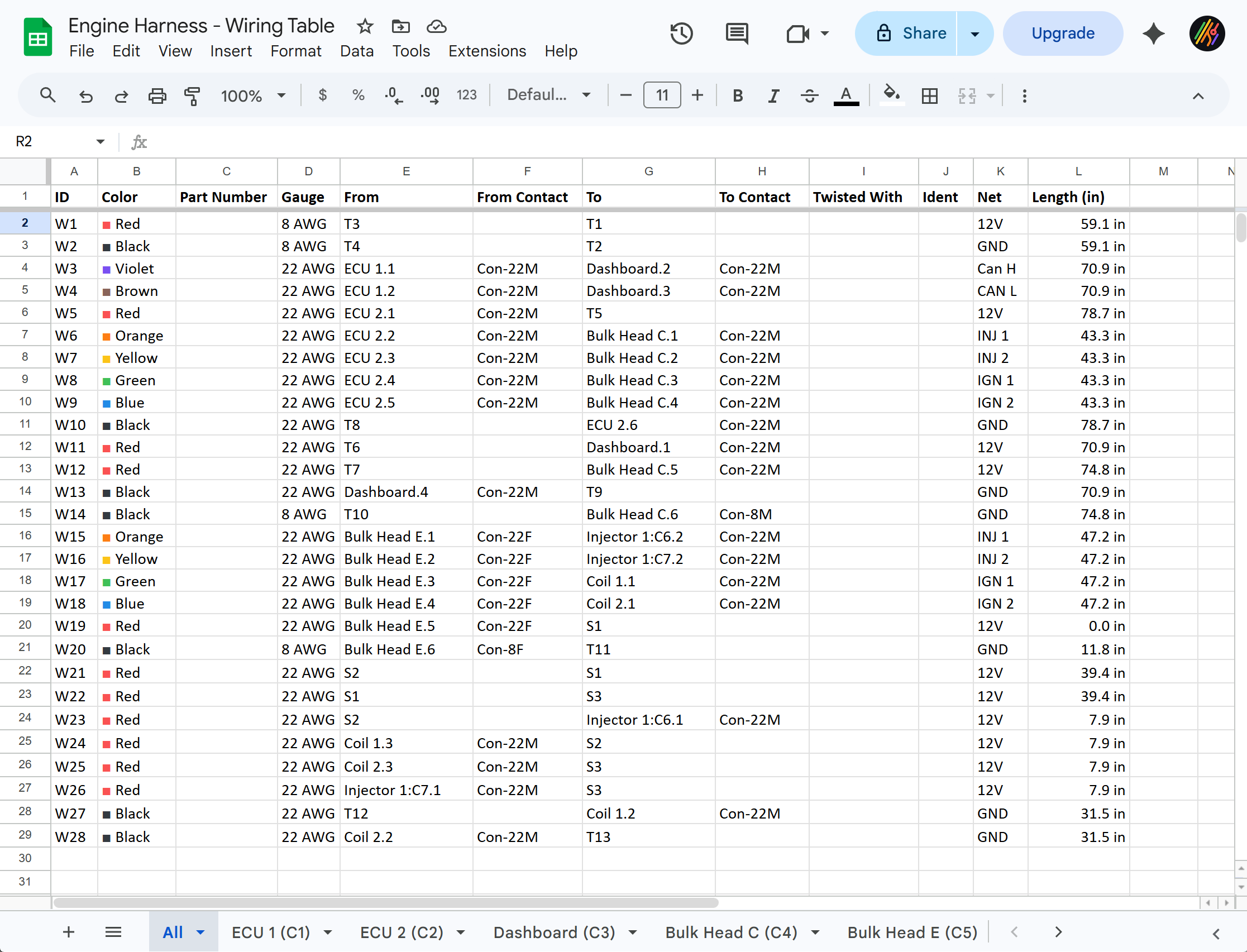
The wiring table export has been upgraded from a flat CSV to an Excel file. It still includes the full connection list, but now also generates individual sheets per connector, each showing exactly what that connector pins to.
Other Improvements
- Show only highlighted connections button on the connection screen to filter the list to only show connections that are currently selected. Read more…
- Updated shortcuts and in app list. Go
Main Menu->Shortcuts - Coverings can now be added to splices, resistors, and diodes