Parts
The Parts view is a visual representation of the Part used in the harness. In this view you can add Parts, modify their properties and see the how many times they are used in the harness. This is used to generate the BOM.
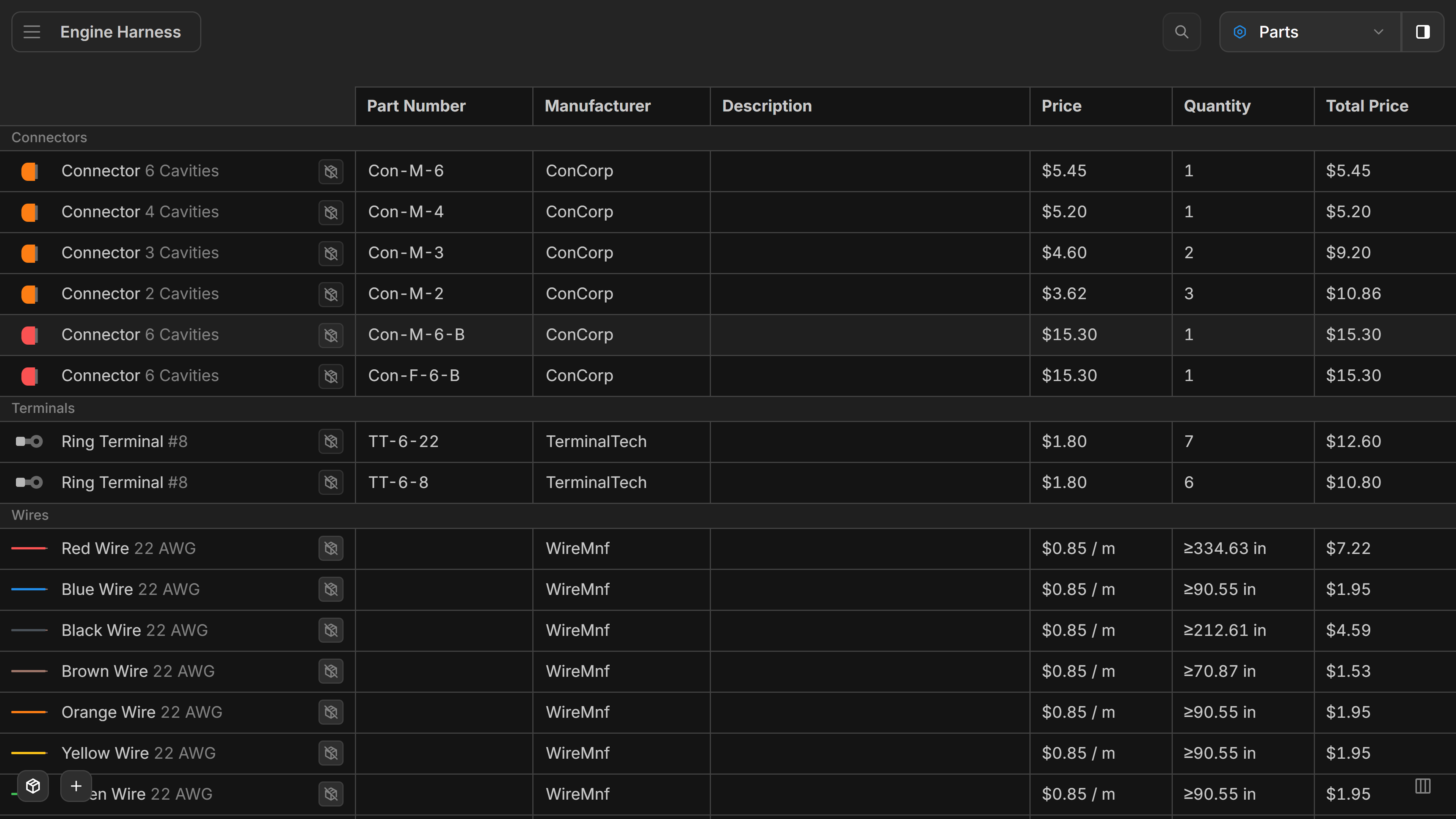
Table
This is the list of all your Parts in the harness.
right-click anywhere on the canvas to add a Part or click the Add part button.
left-click a parts value to edit it.
left-double-click the left column of a part to edit the part’s properties. More Info
Total Price is shown underneath the table. This is a sum of the individual totals in the table.
Next to each part, one button per part library shows whether the part is in that library and in sync with it. The buttons carry the library’s number; hover one to see the library’s name. See Part Syncing.
Table Sorting
left-click the Arrow in the column header to sort the table by that column. left-click the arrow again to switch from descending to ascending sorting.
Buttons
- Parts Catalog - Opens the Parts Catalog of manufacturer parts
- Parts Library - Opens the Parts Library window
- Add part - Adds a new part to the Parts view. More Info
- Show only highlighted parts - Filters the table to the parts used by the components currently selected in the other views. Selecting a part in the table turns the filter off again.
- Columns - Hide/ show part details in the table
When a part library is open in the editor, the Parts view is the whole editor: it lists the library’s parts, without quantities, totals or the library buttons.