September 8, 2026
The editor is available as a desktop app that works offline with local files, harnesses can be embedded in each other as sub-harnesses, and a Parts Catalog of real manufacturer parts is built in. The PDF export has been redesigned, parts can carry images, and wiring tables can be placed on the canvas.
Desktop App
harness.design is now available as a native app for macOS and Windows. It is the full editor, plus:
- Offline use. Sign in once and keep working without a connection.
- Local
.harnessfiles. Save harnesses as plain JSON files on your machine, keep them in git, and open them by double-clicking. Local files are available on every plan. - AI agents on your files. Every
.harnessfile points at its JSON Schema and an editing guide, so agents like Claude Code can edit it directly while the app shows the result live.
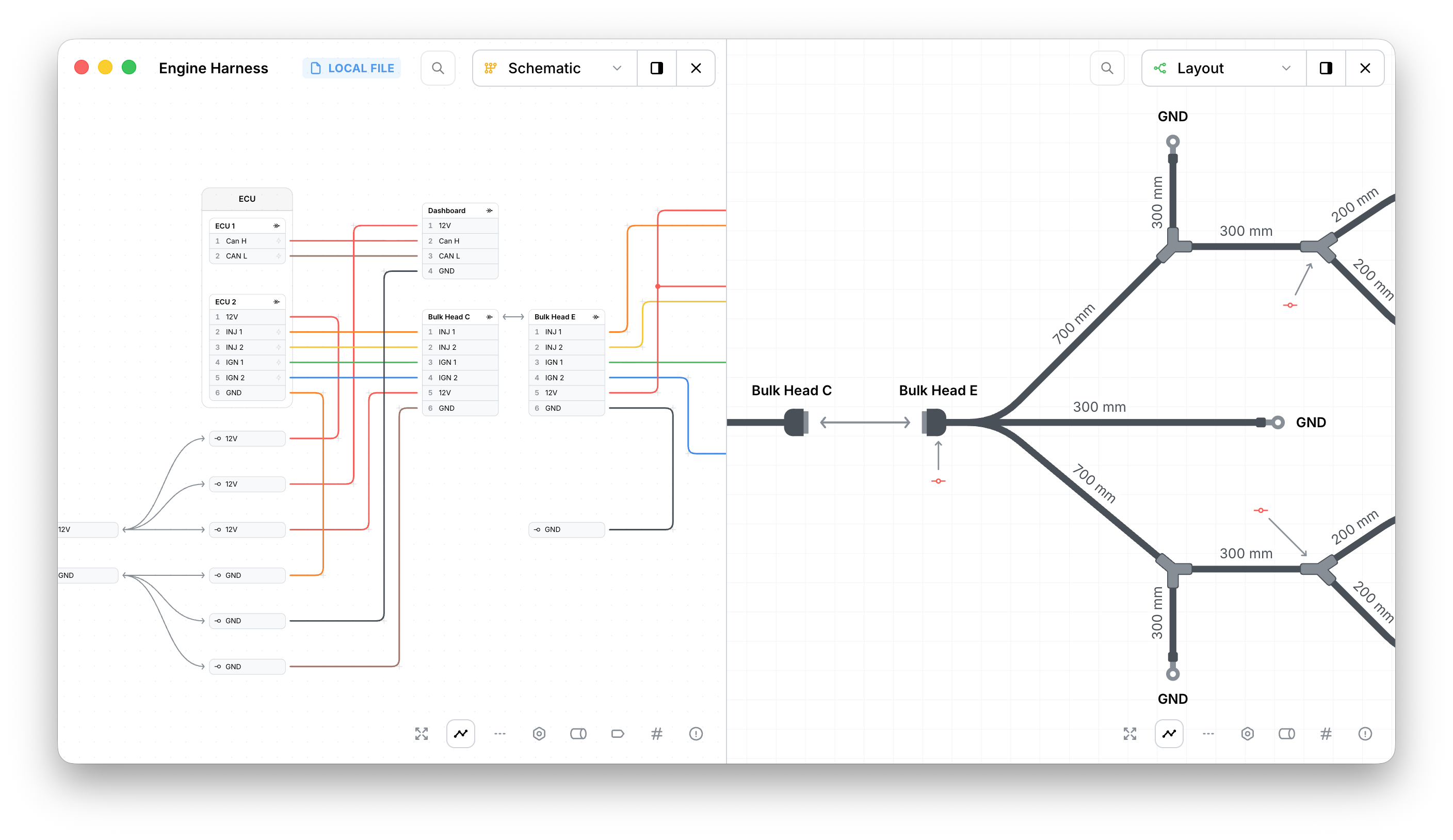
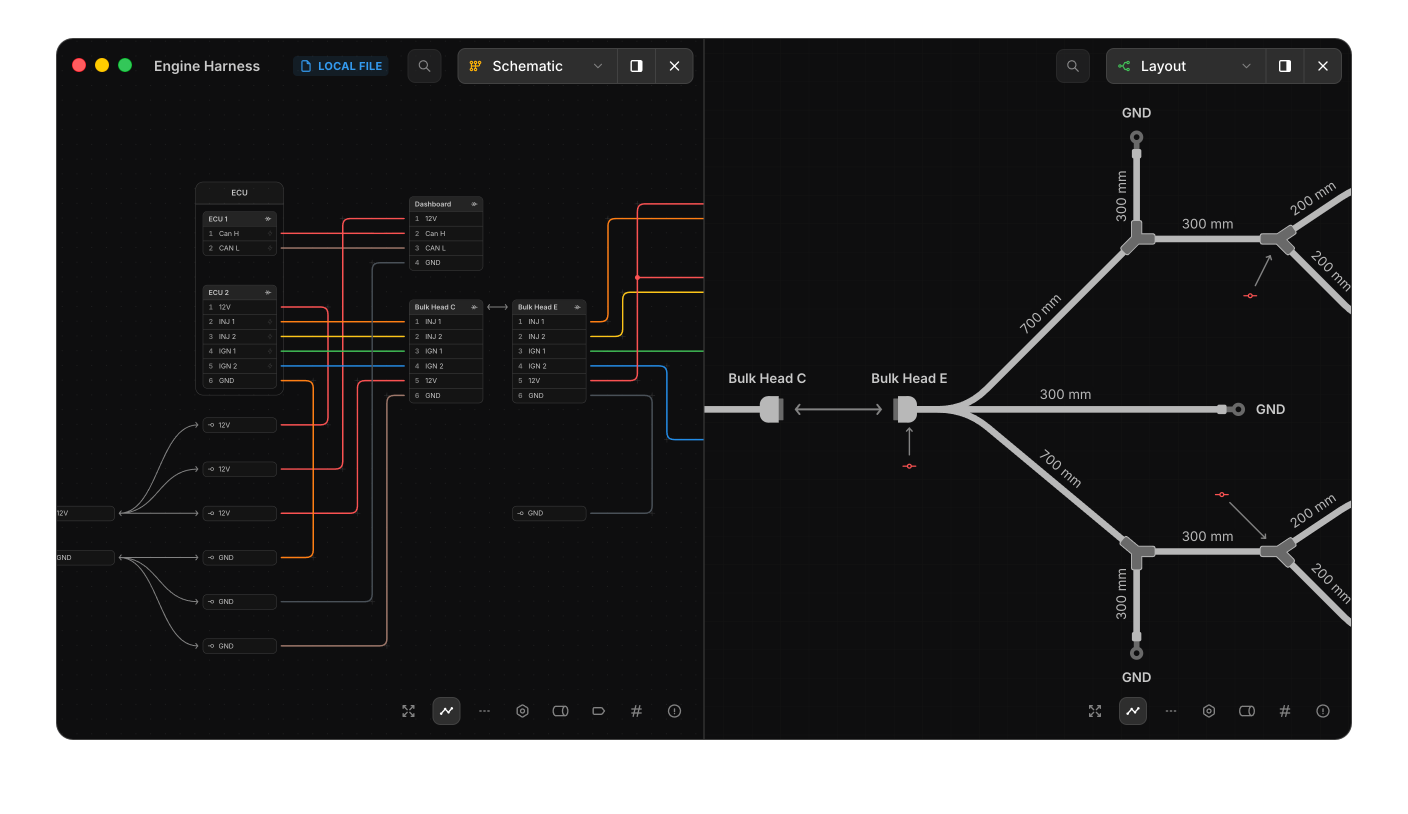
Download it from app.harness.design/download . Read more…
Embedded Sub-Harnesses
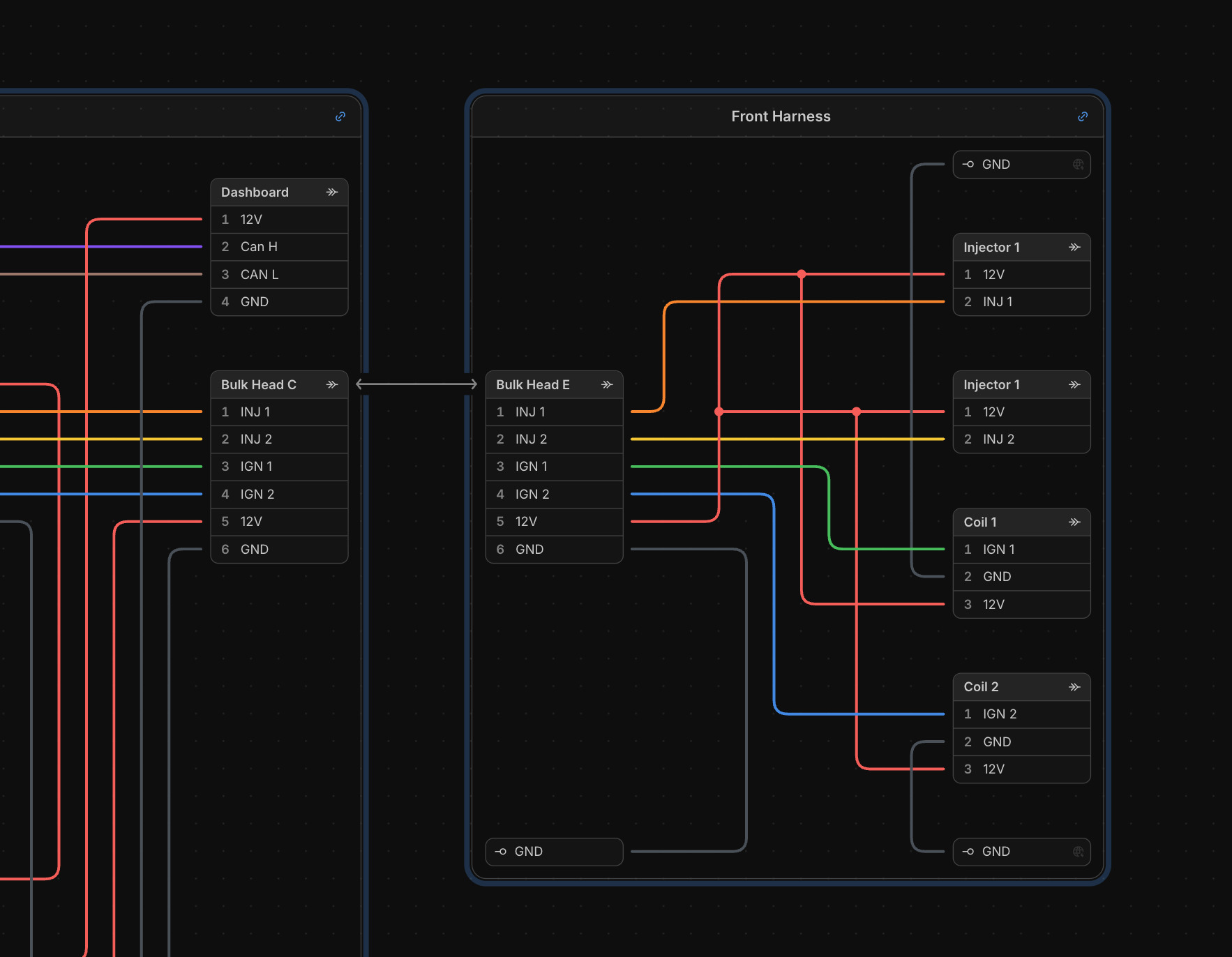
One harness can now be embedded inside another as a linked group. The linked copy stays read-only, keeps its own numbering (Rear.C1, Rear.W1) and part library, and can be refreshed when the source harness changes or unlinked to make it part of the parent. Wires, bundles and mates from the parent connect to it like any other group.
Split a large design into sub-harnesses that are designed, exported and built on their own formboards, or reuse a standard device across several harnesses. An existing group can also be saved as its own harness and linked back in one step.
Parts Catalog
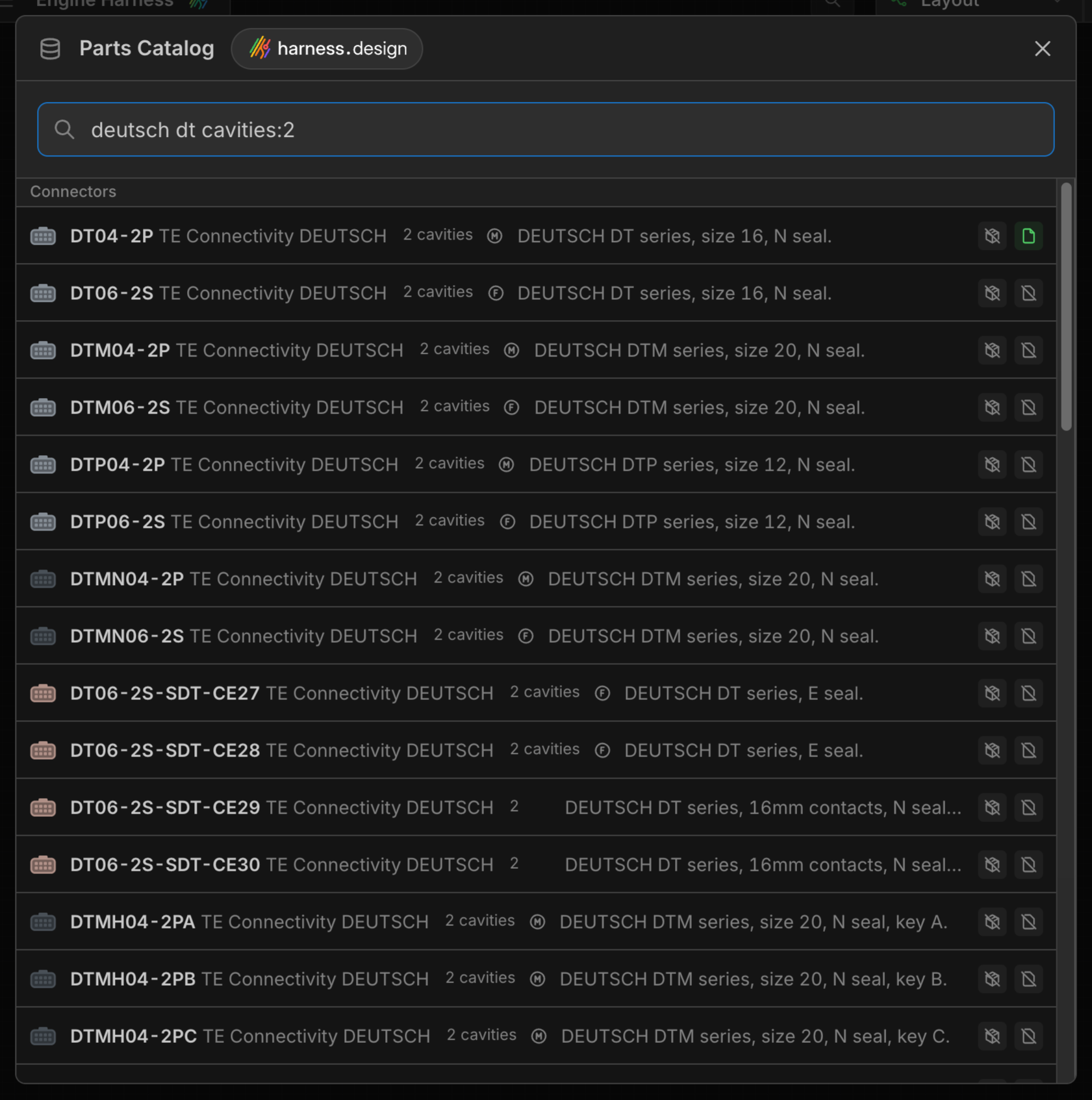
The Parts Catalog is a searchable library of real parts from common manufacturers, maintained by harness.design: connectors, contacts, cavity plugs, terminals, wires, cables, splices, coverings and connector accessories.
Search by part number, keyword or property, narrow results with filters such as manufacturer:Deutsch cavities:3, find the parts that fit a connector with compatible:DT04-2P, and add a part to your parts library or harness with one click.
Press K to open it, or pick Search parts catalog at the bottom of any part dropdown to search for the part type you’re assigning and assign it straight from the catalog. If a part is missing or wrong, tell us from inside the catalog and we’ll fix it.
Part Images
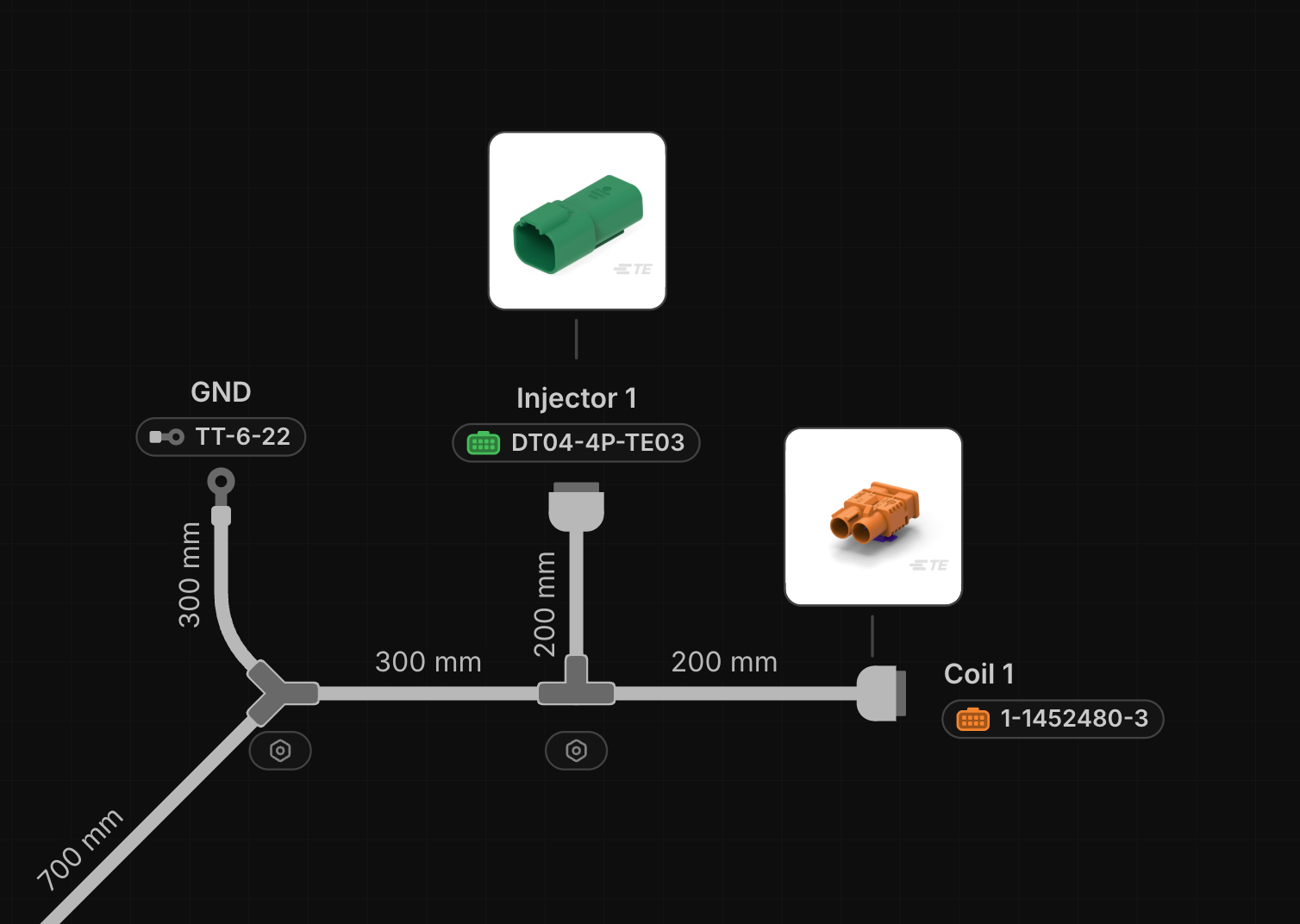
Parts can now carry an image, shown in the part details and the catalog. Upload your own from a part’s details, and use Show part image on any connector, terminal, splice, diode, resistor or cable to place the image next to the component on the canvas, sized and positioned per view and included in the PDF export.
Wiring Tables on the Canvas
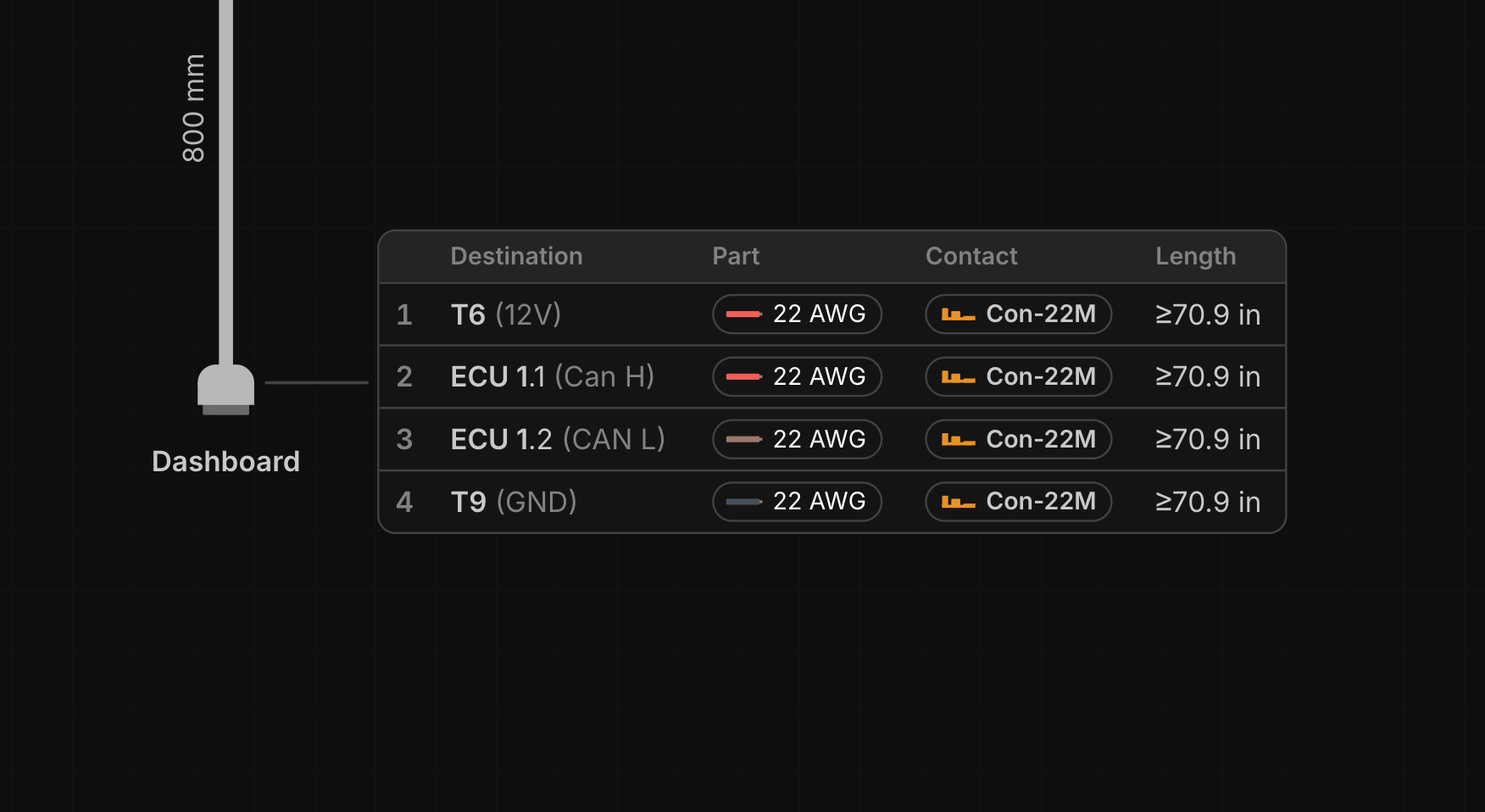
Show wiring table places a live per-component wiring table next to a connector, terminal, splice, diode or resistor, on the schematic or the layout. Each row is one conductor with its destination, wire, colour, part, gauge, contact, twist, ident and routed length; pick the columns per table, hide unwired rows, and edit destinations and parts right in the table. Wiring tables print in the PDF export and are ideal on a formboard, where the builder reads each connector’s pin-out beside it.
PDF Export
The PDF export is now a single Export PDF window that remembers its setup per harness:
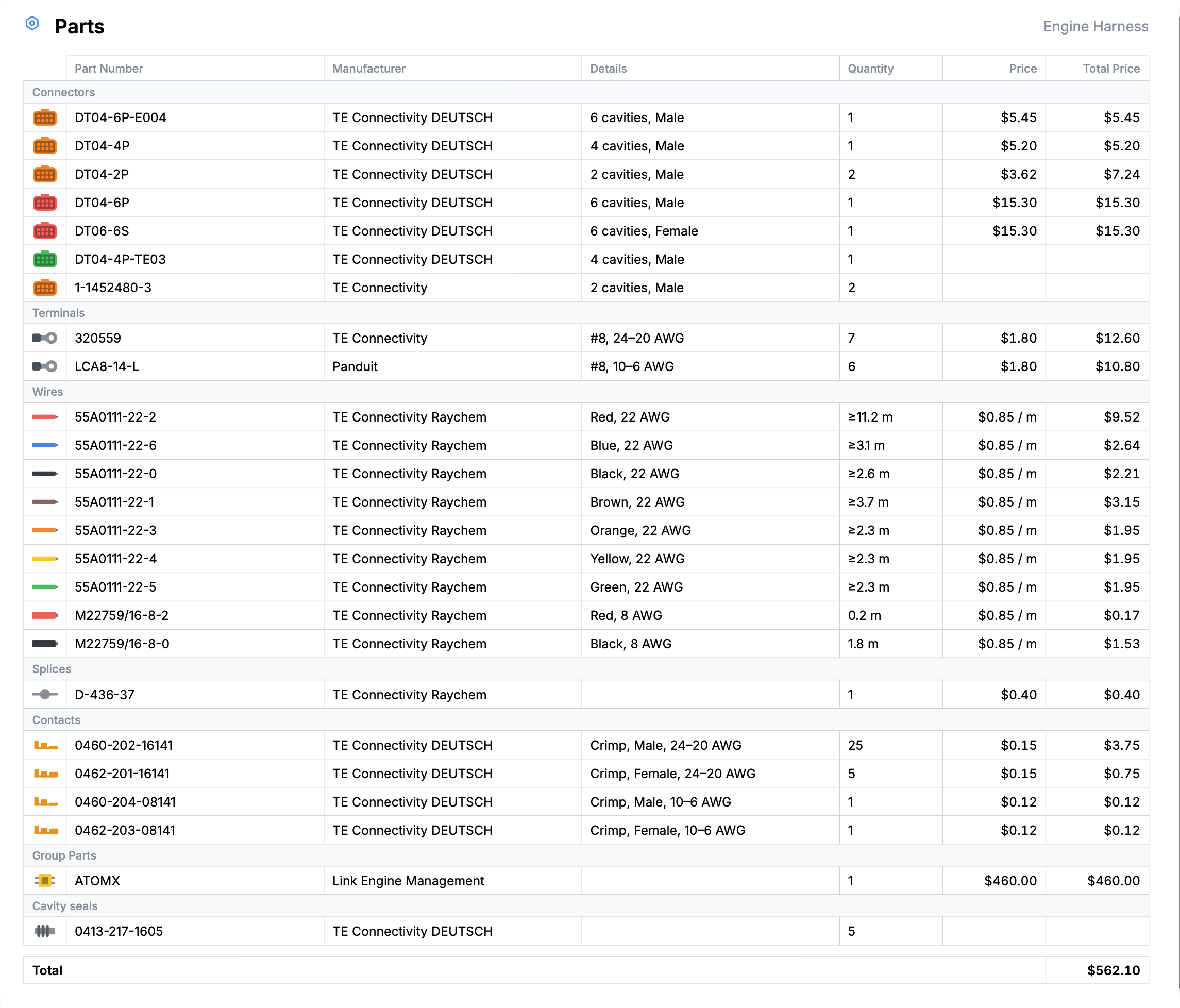
- Parts page. Add a bill of materials to the PDF, sectioned by part type like the Parts view, with your choice of columns and either one page that grows to fit or a paginated table.
- Page sizes. Export schematic, layout and parts pages on fixed A4, A3 or A2 landscape pages, or sized to fit as before.
- Notes. Free-text assembly notes in the bottom-left corner of every page, saved with the harness.
- Team logo. Draw your team’s logo in the title block.
Parts
- Cavity plugs seal the cavities that have no wire. Set one on a connector configuration and every unwired cavity receives it automatically, counted per cavity in the BOM.
- Mounts are a new configuration accessory for the clip or bracket that fixes a connector in place.
- Internal part numbers. Give a part your own stores or ERP number alongside the manufacturer’s, and show it on the canvas instead.
- Part bar details. Choose what the part bars under components show: part number, manufacturer, connector configuration, terminal size, wire gauge, resistor and diode ratings. The PDF follows the same settings.
- The Manufacturer field now suggests manufacturers you’ve already used.
- Show only highlighted parts filters the Parts view to the parts used by the current selection.
- Cable cores can now be twisted into pairs or triples on the part or directly on a cable. Read more…
Editing
- Destinations on the layout. Select a connector or terminal with Show destinations on to see and edit its cavities and destinations without switching to the schematic.
- Hide inline components. Hide splices, diodes and resistors on the layout when their position doesn’t matter. They are left off the layout PDF too.
- Paste a column of signals. Copy signal names from a spreadsheet and paste them into a cavity; each line fills the next cavity down. Read more…
- Crosshair cursor. Full-canvas crosshairs, like traditional CAD, to line components up. Turn it on in Preferences or press
H. Read more… - Black and white wires are outlined by default so they stand out in either colour scheme. Read more…
Updated Terms of Service
Our Terms of Service have been updated alongside this release, and take effect on 22 September 2026.
Nothing changes about what you can do with harness.design. Designing harnesses for yourself, your employer or your clients, and manufacturing them commercially, is expressly allowed, as it always has been. What’s new:
- Sections covering the desktop app, AI assistants and the Parts Catalog, none of which existed when the previous Terms were written
- Plans and pricing brought up to date with per-seat Pro and teams
- Clearer limits on copying the software and scraping the Parts Catalog
The previous version stays available at Terms of Service (10 April 2026). Continuing to use harness.design after 22 September 2026 means you accept the updated Terms.
Questions or feedback? Reach out on Discord or email support@harness.design.