Sharing
To let other people view your harness, go to Main Menu → Share.
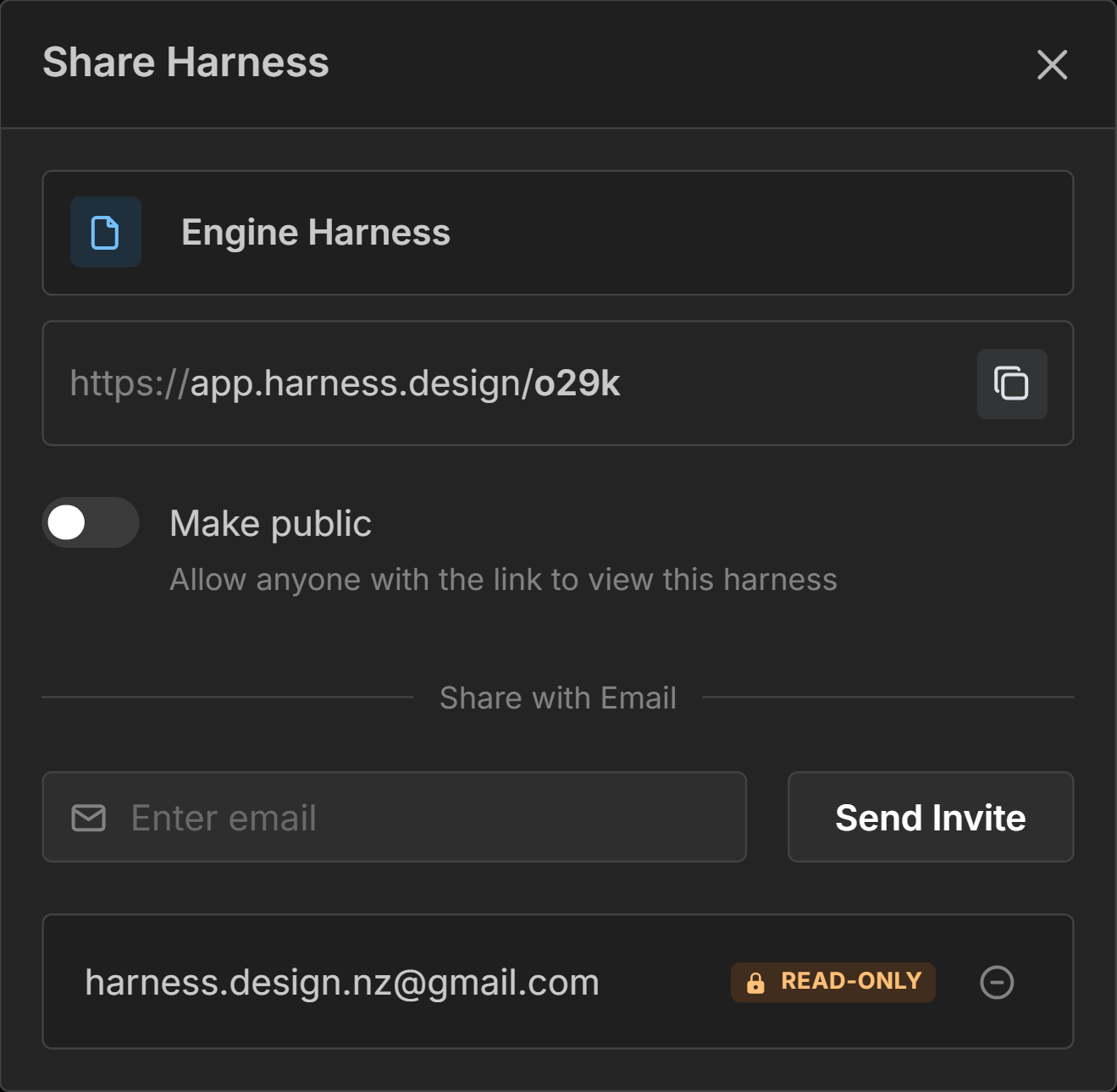
Only the harness owner can edit the harness. Anyone the harness is shared with will only be able to view it in read-only mode.
Harness Link
If the harness is not public, only users shared via email will be able to open this link. Click the copy button to copy the link to your clipboard.
Make your Harness Public
Toggle to make your harness public. Anyone with the link will be able to view your harness as read-only.
Embedding
Once your harness is public, you can embed an interactive copy of it on another website — this is how the live diagram on our home page works. Click Embed in the Share dialog to open the embed settings.
The Embed button is disabled until the harness is public.
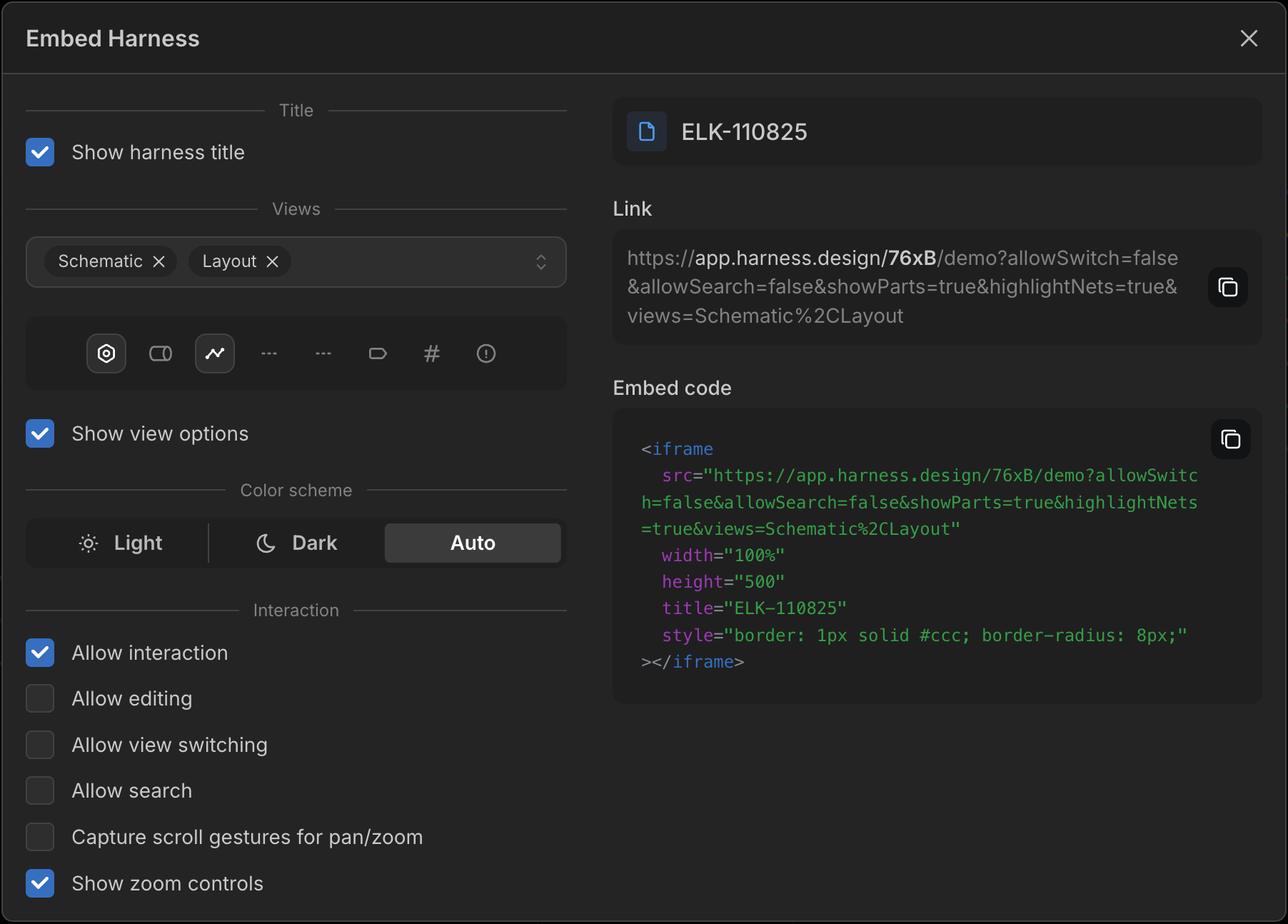
As you adjust the settings, the Link and Embed code on the right update in real time. Copy the Embed code and paste the <iframe> snippet into your site, or copy the Link to open the demo directly.
Embedded harnesses open in demo mode — visitors can explore the harness, but any edits they make are never saved. They pan by dragging the canvas and zoom with the on-canvas controls (or with scroll gestures, if you’ve enabled them).
Click here to see an example of this in action.
Embed Settings
- Show harness title — show or hide the title bar.
- Views — which views (Schematic, Layout, Parts, Connections) are shown when the embed first loads. At least one is required.
- View options — the on-canvas toggles (show parts, coverings, highlight nets, component IDs, warnings, and so on) and whether each is enabled by default.
- Show view options — whether visitors can change those view options themselves.
- Color scheme — display the embed in Light, Dark, or Auto (matching the visitor’s device).
- Interaction — control what visitors can do with the embed:
- Allow interaction — when turned off, the embed is a static, non-interactive image (no panning, zooming, or selecting) and the options below are disabled.
- Allow editing — let visitors modify the harness (changes are never saved).
- Allow view switching — show the view selector so visitors can change views.
- Allow search — show the search control.
- Capture scroll gestures for pan/zoom — when off (the default), scrolling over the embed scrolls the surrounding page instead of panning or zooming the harness. Turn it on to let scroll gestures control the canvas.
- Show zoom controls — show zoom in/out buttons on the canvas (on by default).
Email SharingPro Feature
Enter an email address and click Send Invite to allow the user with that email address to view your harness.
An email will be sent to the address with a link to view the harness. They will need to create an account if they don’t already have one.
Inviting people by email requires a Pro plan. On the Free plan the invite form is replaced by an upgrade prompt — but you can still see any existing email shares and revoke them, and those shares keep working.
Revoke Email Access
Click Revoke access next to an email to revoke a user’s access to view your harness.