Connections
The Connections view is a visual representation of the connections in the harness. A connection is any Wire or Cable that connects two or more Components. This is used to generate the Wiring table.
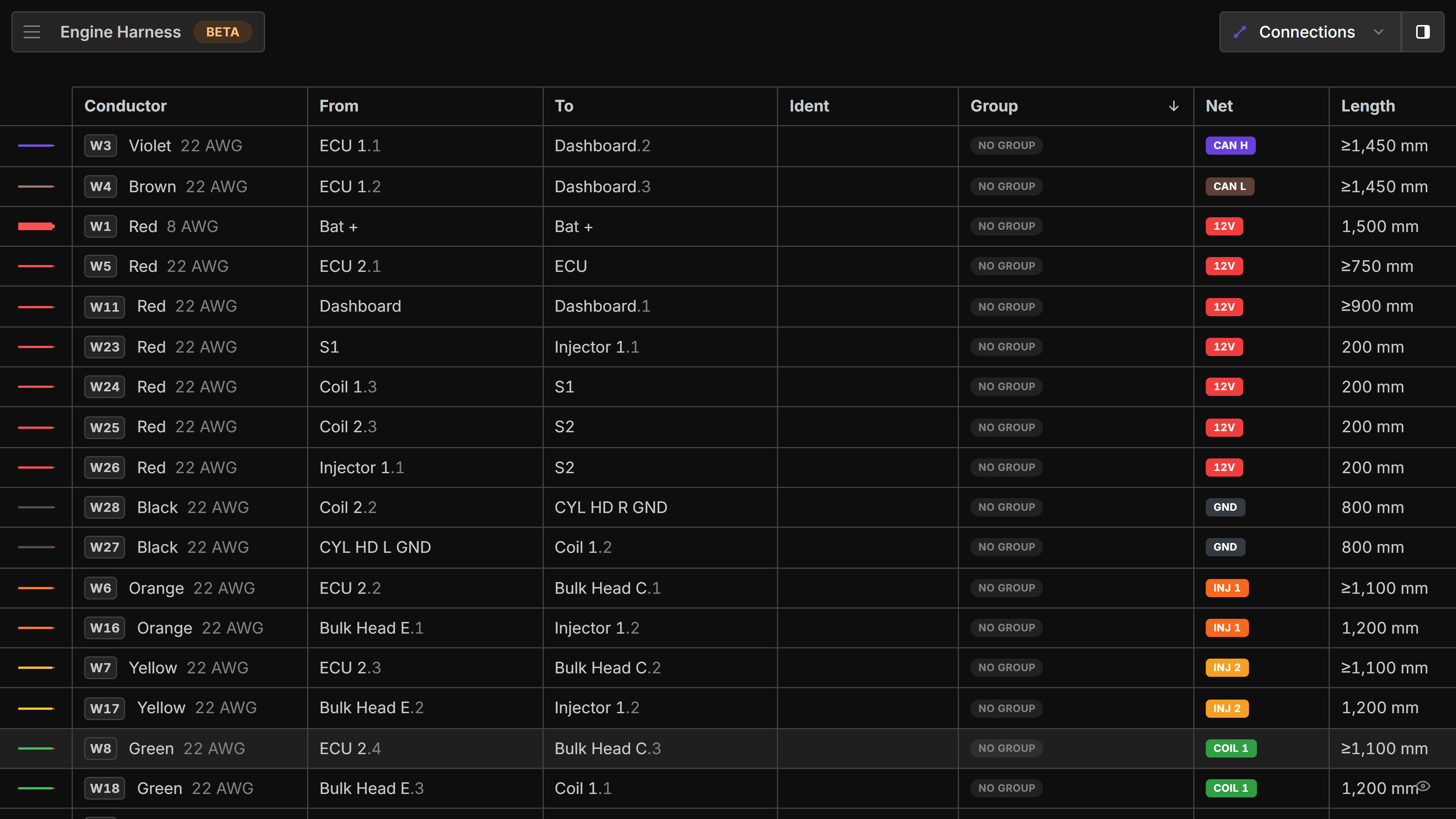
Table
This is the list of all your Connections in the harness.
right-click a connection to assign a Wire Part, add an Ident or Switch direction of the from/to.
Table Sorting
left-click the Arrow in the column header to sort the table by that column. left-click the arrow again to switch from descending to ascending sorting.
Assign Connections
Type in the to or from to change the assigned location of a connection.
Buttons
- Highlight nets - Toggles between showing the complete path of conductance and showing what is directly connected to the selected component. More info
- Show only highlighted connections - Filters the list to only show connections that are currently selected
- Columns - Hide/ show connection details in the table