Open
The Open dialog lists your own Documents, your Team’s shared documents, harnesses Shared with you, and lets you open a Local File from your computer.
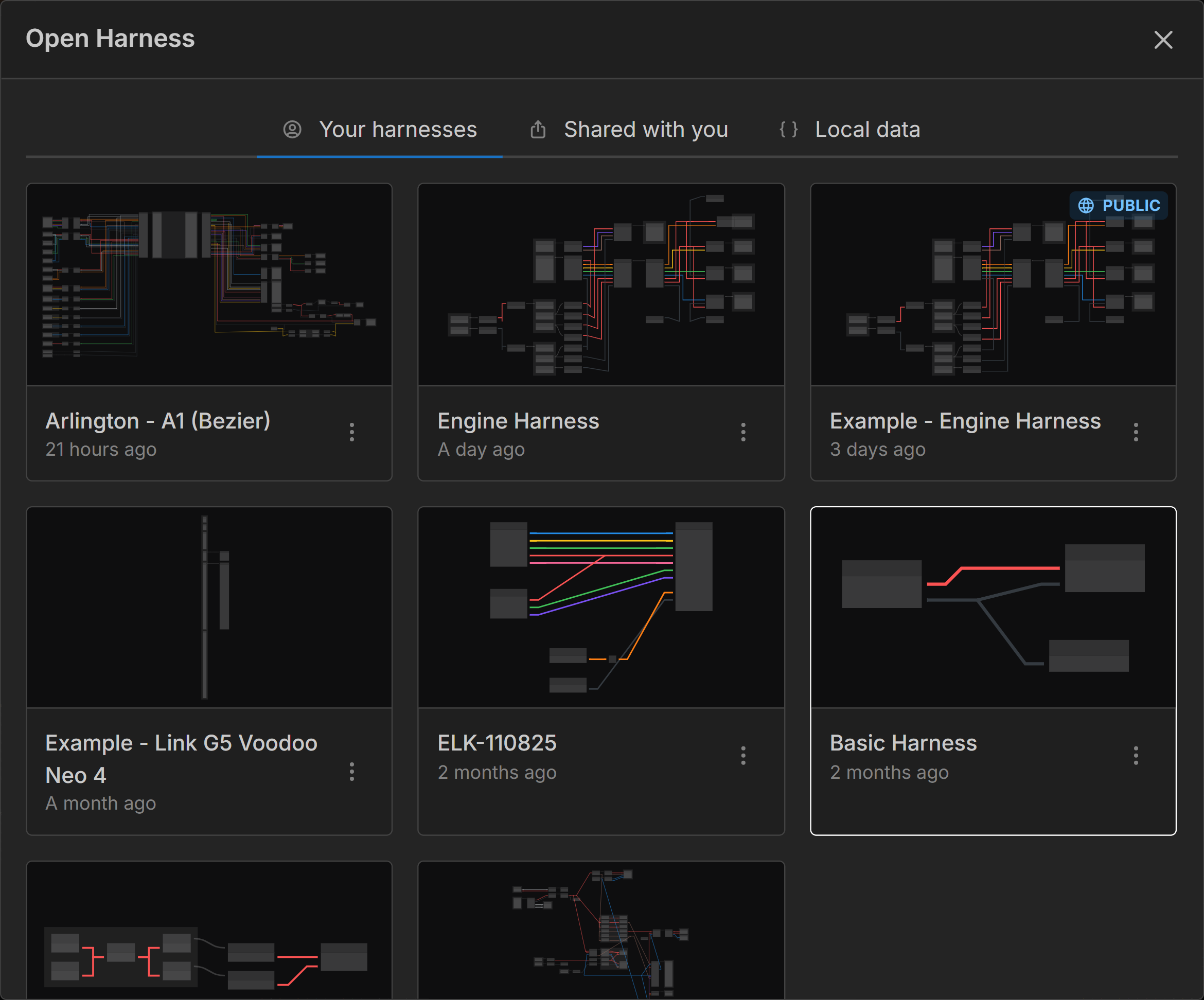
Documents
The harnesses and part libraries you own. In the Desktop App this tab is called Cloud, to set it apart from Local Files.
A control at the top of the tab chooses what is listed:
- Harnesses - Your harnesses, most recently edited first
- Part Libraries - Your part libraries
- Projects - Harnesses and libraries together, grouped by project
Next to it, New harness and New library create a new document, and the search box filters the list.
To open a harness or a library, click on its thumbnail.
Click on the three dots next to a thumbnail to:
- Rename - Opens a modal to rename the selected document
- Share - Opens the Share modal. Harnesses only; a library is shared through your team instead
- Duplicate - Duplicates the selected document
- Move to project - Files the document under a project, or creates a new one
- Move to team - Shares the document with your team (available to seated team members). See Collaborating on harnesses.
- Delete - Deletes the selected document
PUBLIC Will be shown on the thumbnail of any harness that is shared publicly.
Part Libraries
The Part Libraries view lists the part libraries you own. Every one of them is offered to each harness you open, so there is nothing to select per harness. Click a library to open it in the library editor, or click New library to create one.
A library’s options menu has the same items as a harness’s, except Share: to let other people use a library, move it to your team.
Projects
A project groups harnesses and part libraries that belong together, under a name you choose. The Projects view lists every project as a collapsible section, with the documents that have no project at the end.
- New project - Names a new project and picks the harnesses to put in it. A project exists as long as at least one document is filed under it.
- Move to project - In a document’s options menu, files it under an existing project or a new one. Remove from project takes it out again.
- Each project’s own menu offers New harness in this project, Rename project and Remove all from project.
Projects work the same for personal and team documents: a team harness’s project is seen by every member of the team, and seated members can re-file it.
Team
If you belong to a team, a Team tab lists every harness and part library shared with your team, with the same Harnesses / Part Libraries / Projects control. Each thumbnail shows the name of the member who owns it.
To open a document click on its thumbnail.
If you hold a seat, use New team harness or New team library to create a document that’s assigned to the team right away.
Click on the three dots next to a document for the actions available to you:
- On documents you own, you get the same options as in Documents, plus Remove from team.
- The team owner can Remove from team for any of the team’s documents.
See Collaborating on harnesses for how editing a shared team harness works.
Shared with you
Harnesses shared with you by other users via email invitation.
To open a harness click on the thumbnail of the harness you wish to open.
Click on the Revoke access button next to the thumbnail of a harness to revoke your access to the harness. You will need to be re-invited by the owner to regain access to the harness.
READ ONLY Will be shown on the thumbnail of all harnesses that are shared with you. To edit you need to duplicate the harness once open to make your own personal copy.
Local File
Open a harness from a .harness file on your computer.
left-click-drag the file onto the box, or click the box to choose a file. A new harness is created in your account from the file, named after the file. Older .json Harness Data exports open the same way. A .harnesslib part library file creates a new part library instead.
In the Desktop App this tab is replaced by Local Files, which lists your recent local files and lets you open or create .harness and .harnesslib files that are edited in place on your computer.